

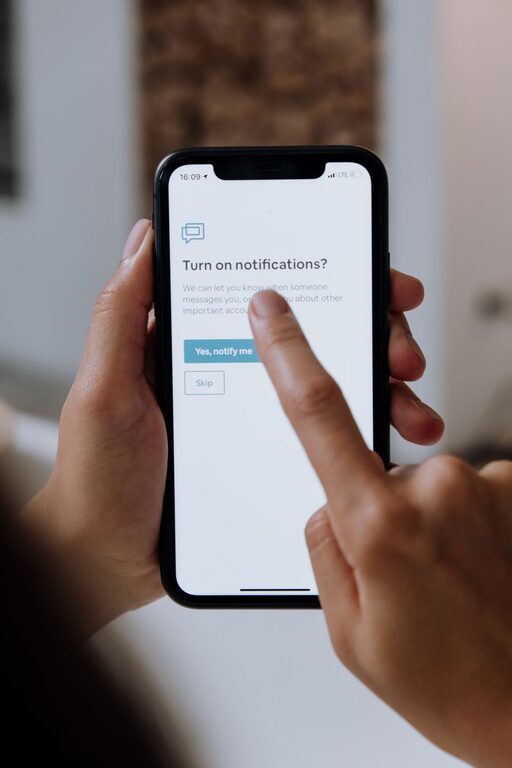
In our hyper-connected world, notifications from apps, emails, messages, and social media constantly compete for our attention. While they serve a useful purpose, too many notifications can lead to distraction, stress, and reduced productivity. Setting clear boundaries with your notifications is a simple yet powerful way to regain control over your time and focus.
In this post, we’ll explore practical tips to help you manage notifications effectively, creating a healthier balance between staying informed and staying present.
Why Setting Boundaries with Notifications Matters
Notifications can interrupt your workflow, fragment your attention, and increase anxiety. Constant alerts make it difficult to concentrate on important tasks or enjoy uninterrupted downtime. By setting boundaries, you:
– Minimize distractions and improve focus
– Reduce stress caused by feeling “always on”
– Gain better control over your time and attention
– Enhance your overall digital wellbeing
Now, let’s dive into actionable steps you can take today.
1. Audit Your Notifications
Begin by reviewing the notifications you currently receive. Most smartphones and computers allow you to see which apps send notifications frequently.
– Identify essential notifications: These might be calls from family, important work emails, or calendar reminders.
– Spot non-essential alerts: Social media likes, promotional messages, or game notifications often fall here.
Knowing what you get helps you decide what to keep, silence, or disable.
2. Customize Notification Settings
Once you know what notifications you receive, tailor settings on each device or app.
– Use “Do Not Disturb” or Focus Modes: Many devices have modes that silence notifications except from selected contacts or apps during specific times.
– Turn off sound and vibration: For less important notifications, consider disabling sounds so they don’t disrupt your flow.
– Choose banner or pop-up alerts wisely: Sometimes, visual alerts are enough without sound, or vice versa.
Customizing settings helps make notifications less intrusive.
3. Set Specific Times to Check Notifications
Instead of reacting immediately to every alert, schedule times to review notifications.
– Batch process notifications: For example, check social media and emails twice daily—once mid-morning and once late afternoon.
– Avoid checking notifications first thing in the morning or last thing at night: This helps create a healthy start and end to your day.
This approach limits distractions and prevents constant interruption.
4. Use App-Specific Solutions
Many apps offer settings to help manage notification overload.
– Mute group chats or channels temporarily: You can silence busy group conversations without leaving them.
– Set priority notifications: Some messaging apps let you highlight messages from important contacts only.
– Unsubscribe from unnecessary email lists: Reducing incoming emails cuts down on alerts and clutter.
Explore each app’s options for more control.
5. Create Physical Boundaries with Devices
Sometimes, digital changes aren’t enough. Establish physical boundaries to further reduce distractions.
– Keep your phone out of reach during focused work: Placing it in another room reduces the temptation to check it.
– Use separate devices for work and personal life: If possible, this helps prevent personal notifications from interrupting work time.
– Designate “no screen” zones or times: For example, avoid devices at the dinner table or during family time.
Physical boundaries complement digital ones effectively.
6. Communicate Your Boundaries
Let friends, family, and colleagues know your notification preferences, especially if you use Do Not Disturb or schedule times to check messages.
– Inform others about your availability: Share when you’ll respond to urgent messages or calls.
– Set expectations for response times: This helps avoid misunderstandings and reduces pressure to reply immediately.
Clear communication supports your boundaries and helps others respect them.
7. Review and Adjust Regularly
Your notification needs may change over time, so make it a habit to review your settings periodically.
– Evaluate what’s working and what’s not: Are you still distracted by certain alerts?
– Make changes as needed: Don’t hesitate to refine your preferences to suit your current lifestyle and work demands.
Regular review ensures your boundaries stay effective.
Final Thoughts
Setting boundaries with notifications is a key step toward reclaiming your focus and well-being in a busy digital environment. By auditing your alerts, customizing settings, scheduling check-ins, creating physical boundaries, communicating clearly, and reviewing regularly, you create a healthier relationship with technology.
Start small by changing one or two notification habits today and notice how freeing it feels to regain control of your attention. With practice, you’ll enjoy better productivity, lower stress, and more quality time both on and offline.